By The Harness Lab · Landman title work automation

Title assignments that take a landman three to five days. Done in about twenty minutes.

TitleDesk Agent reads the assignment, captures the county index, obtains and examines the source deeds, builds the source-linked runsheet and chain, works the ownership in exact fractions, lists the curative, and delivers the client's own workbook and folder tree. Proven against real assignments completed by working landmen, checked against their approved reports cell by cell. The landman reviews and certifies; TitleDesk does the days of reading in between.

It runs on your own computer, in your company's format, with or without an AI connected. Configure it yourself in the Customization Lab, or have a Harness Lab technician set it up and train your team.

Proven on real assignments Runs on your machine Exact fractions AI optional
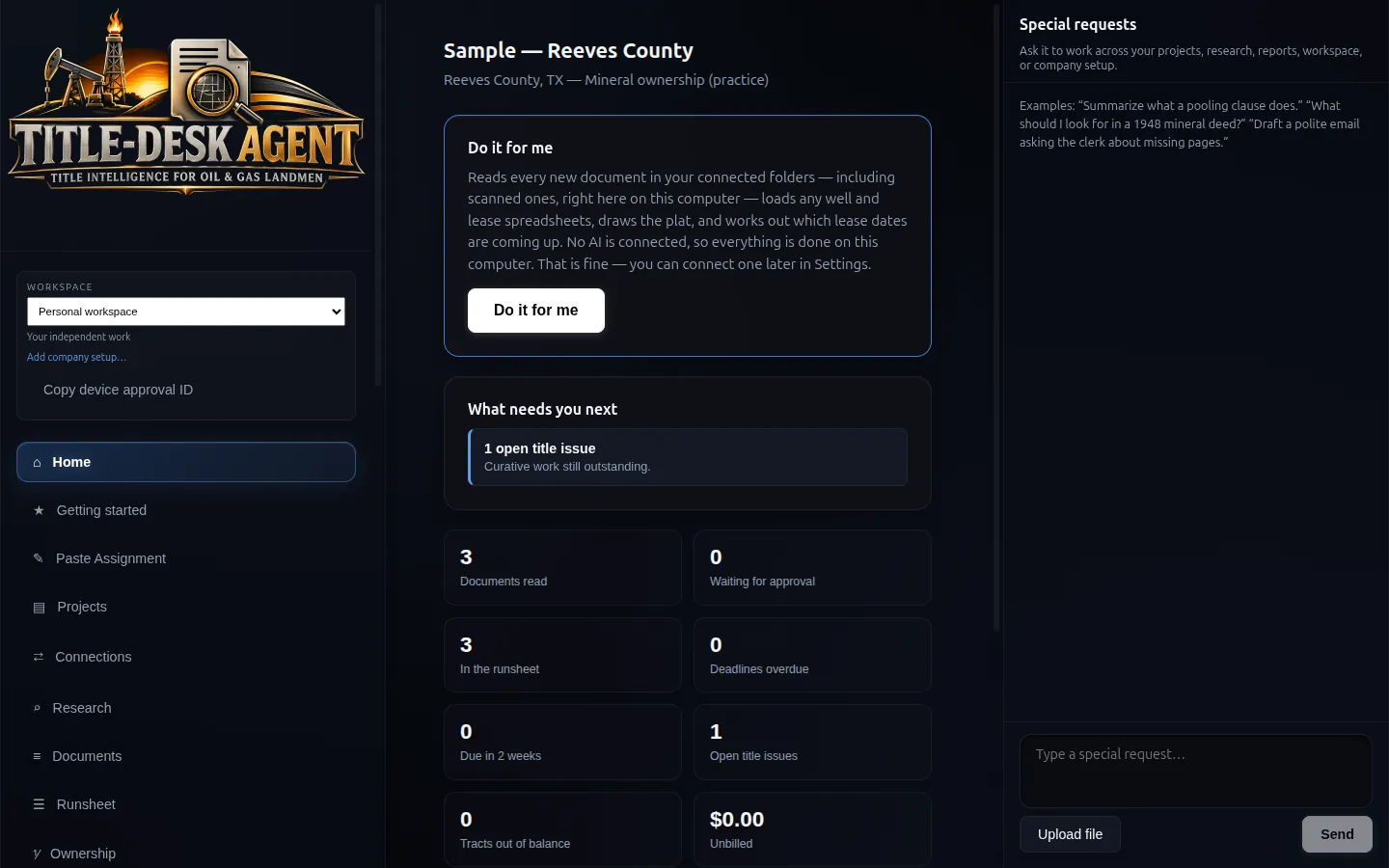
TitleDesk Agent Home screen showing the Reeves County sample project
One assignment, by hand
3to 5 days

County index, instruments, runsheet, chain, ownership, curatives, report, package.

The TitleDesk run
20minutes

On real assignments completed by working landmen. Review is on top.

Per landman, per week
10to 15 assignments

At about three hours of landman time each, against one or two by hand.

Cost per assignment
$245vs $1,900

Landman time plus software, against landman time alone at $475 a day.

The run time was measured on real assignments. The per-week and per-assignment figures use $350 to $600 day rates and a three-hour review budget; every assumption is written out on the ROI page so you can put in your own. The 15-day build-out exists so the configuration matches your shop before you measure it.

The category

Where TitleDesk fits in a land software stack.

Each of these does its job well. Together they still leave the actual work — the reading, the extraction, the organizing, the assembly — on a landman's desk. That is the gap TitleDesk was built to fill.

Data platformsEnverus, LandGate
Lease, production and drilling intelligence, mapping and asset analytics. They supply source data and context.
Data & analytics
Systems of recordQuorum, Energy Components
Lease management, contract tracking and land administration. They hold approved business records.
System of record
AI assistantsChatGPT, Claude
Summarizing, drafting and ad-hoc analysis. They provide general-purpose model assistance.
General assistant
Automation toolsZapier, Make, n8n
Integration and triggers between systems. They move information between configured services.
Integration layer
AI land toolsEmerging category
Search and Q&A across land datasets and document summarization. They focus on retrieval and analysis.
Land-specific AI
TitleDesk AgentThe Harness Lab
Structured research through extraction and organization toward a repeatable deliverable in the company's format, with source links and provenance for review. It supports the assignment workflow.
from $199 / seat / mo

The workflow TitleDesk is built to support

TitleDesk connects structured research, extraction, organization, review and packaging in the company's format. It complements the data platform and system of record around it. Representative held-out assignments are still required to qualify the complete workflow.

The job

Title work is still a factory. Most of the hours are mechanical, and those are the hours TitleDesk takes.

County packets, OCR, runsheets, exact fractions, curative lists, and a client folder tree that must match the house format. TitleDesk does that work on the laptop. The landman accepts what is true, refuses what is thin, and keeps the opinion.

01 Documents
02 Extract
03 Chain
04 Exact fractions
05 Defects
06 Deliver
Application feature review

Core workflow areas, in the order the work happens.

The landman keeps every judgment. TitleDesk does the reading, the extraction, the organizing and the assembly underneath. Availability depends on the qualified build and configured services.

PHASE 01

Taking the assignment

3 capabilities

Paste Your Assignment

Paste the assignment letter your client sent. TitleDesk reads it as data, never as instructions, extracts the requirements, tells you plainly what it can and cannot do, and writes a plan in two columns — its work and yours — that run at the same time.

Two-column work plan

Every task is owned by either TitleDesk or the landman. Anything moved to the landman's column is marked manual and is never touched automatically.

Rounds until it's done

When a round finishes, TitleDesk works out what is still outstanding from the project's own records — not by asking a model whether it is finished — and plans the next round. Only the landman closes an assignment.

PHASE 02

Reading the documents

4 capabilities

On-machine OCR

Scanned county records are read locally on the laptop with Tesseract. No OCR API, no internet connection and no per-page cloud charge. Measure throughput on your actual packet and hardware.

Multi-page instruments

Recorders return whole instruments as one multi-page image. TitleDesk processes each page and surfaces extraction failures for review, including exhibits and lease schedules on later pages.

Document classification

Works out what each document is — lease, opinion, unit designation, plat, probate, and twenty-three instrument types in all — and which submission folder it belongs in, using your company's own naming conventions where you have them. Filename beats body text, so a ratification does not steal the instrument it recites.

Nothing disappears quietly

A page OCR cannot read is marked "needs your eyes" rather than being recorded as blank. Thin OCR stays empty rather than inventing a plausible lessor.

PHASE 03

Building the work product

7 capabilities

Runsheet

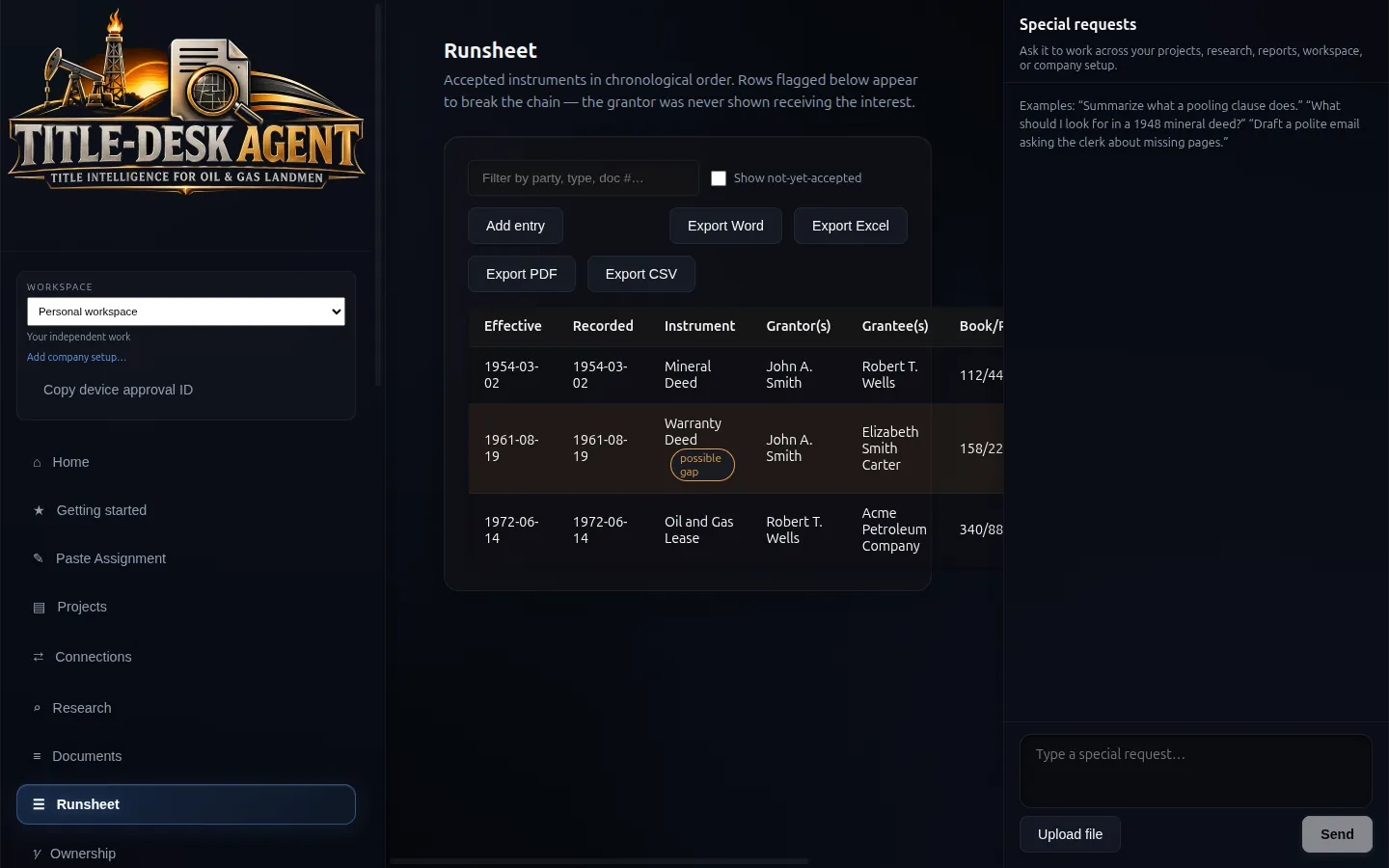
Recorded instruments in chronological order with grantor, grantee, volume and page, instrument number and interest — each row linked to the page it was read from. Chain gaps are flagged, not hidden. Word and Excel export in the company's columns.

Row provenance

Entries record how they were read: entered by a person, read off the page deterministically, or proposed by a model and accepted. Review source links and provenance before delivery.

Curative and issues list

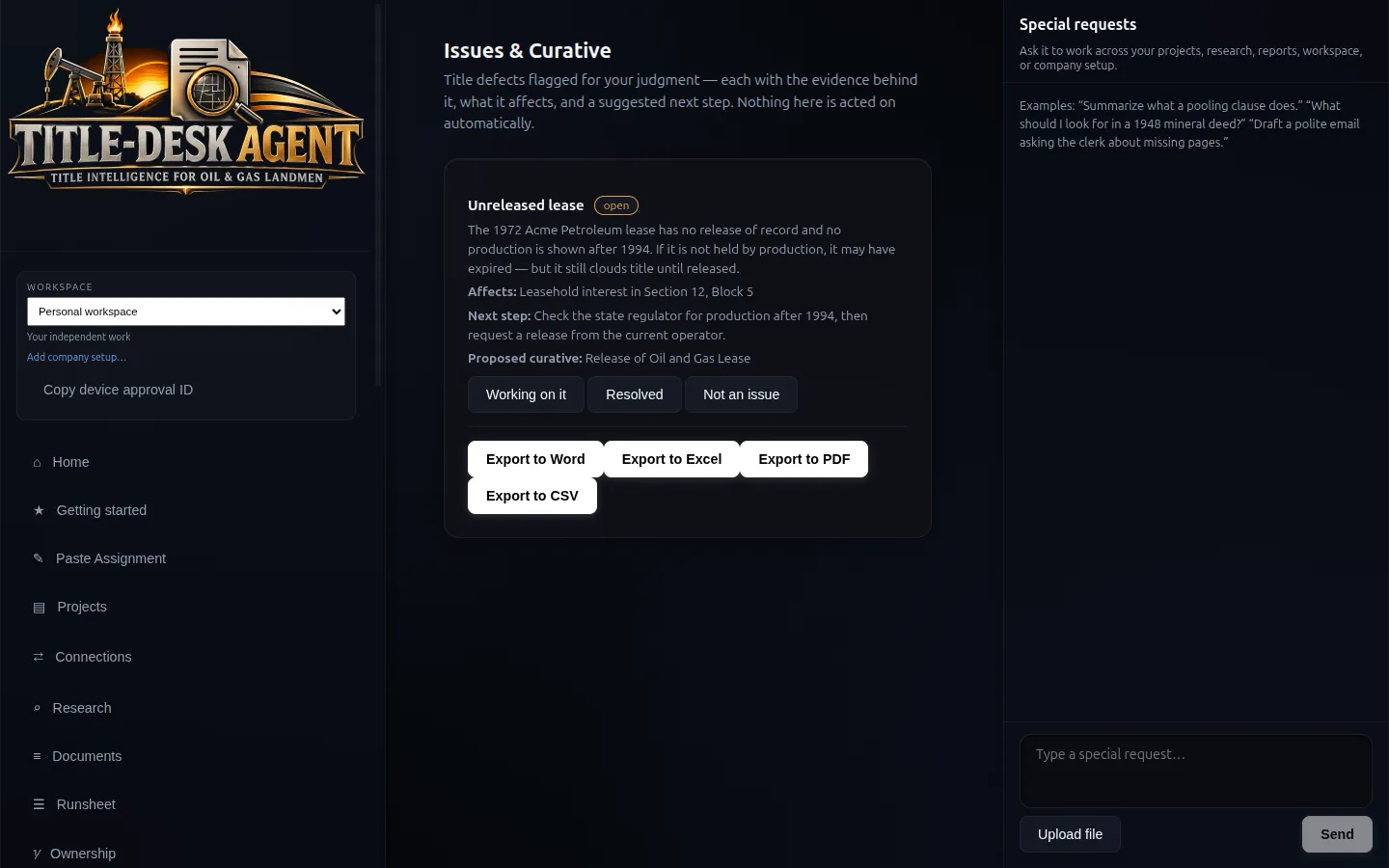
Unleased interests, unreleased prior leases, probate and heirship gaps, assignment-chain defects — each with the document and page it came from, and a proposed next step. The list a landman actually works, not a chatbot summary.

Ownership by tract

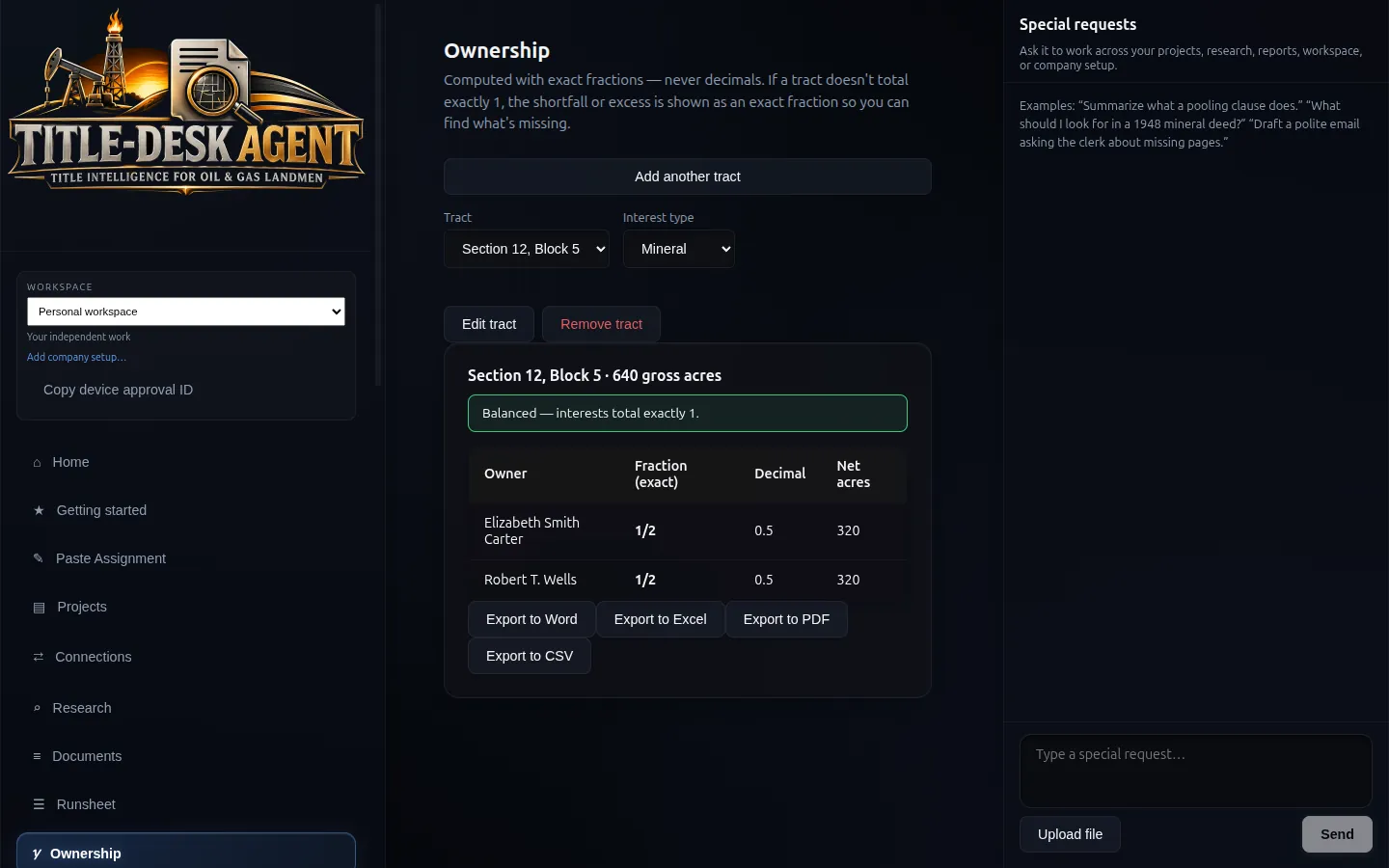
Mineral and leasehold ownership tracked per tract, with balance checking so an interest that does not total to one is flagged rather than rounded away. Net mineral acres, leasehold, held-by-production and conflicts included.

Exact fraction arithmetic

Interests are stored and computed as exact BigInt rationals, never floating point. 1/3 + 1/3 + 1/3 is exactly 1. A 1/3 of 160.33 acres stays exact all the way to the report, and an over-conveyance is reported as an exact excess such as "over by 1/4". Money is integer cents.

Wells, leases and production

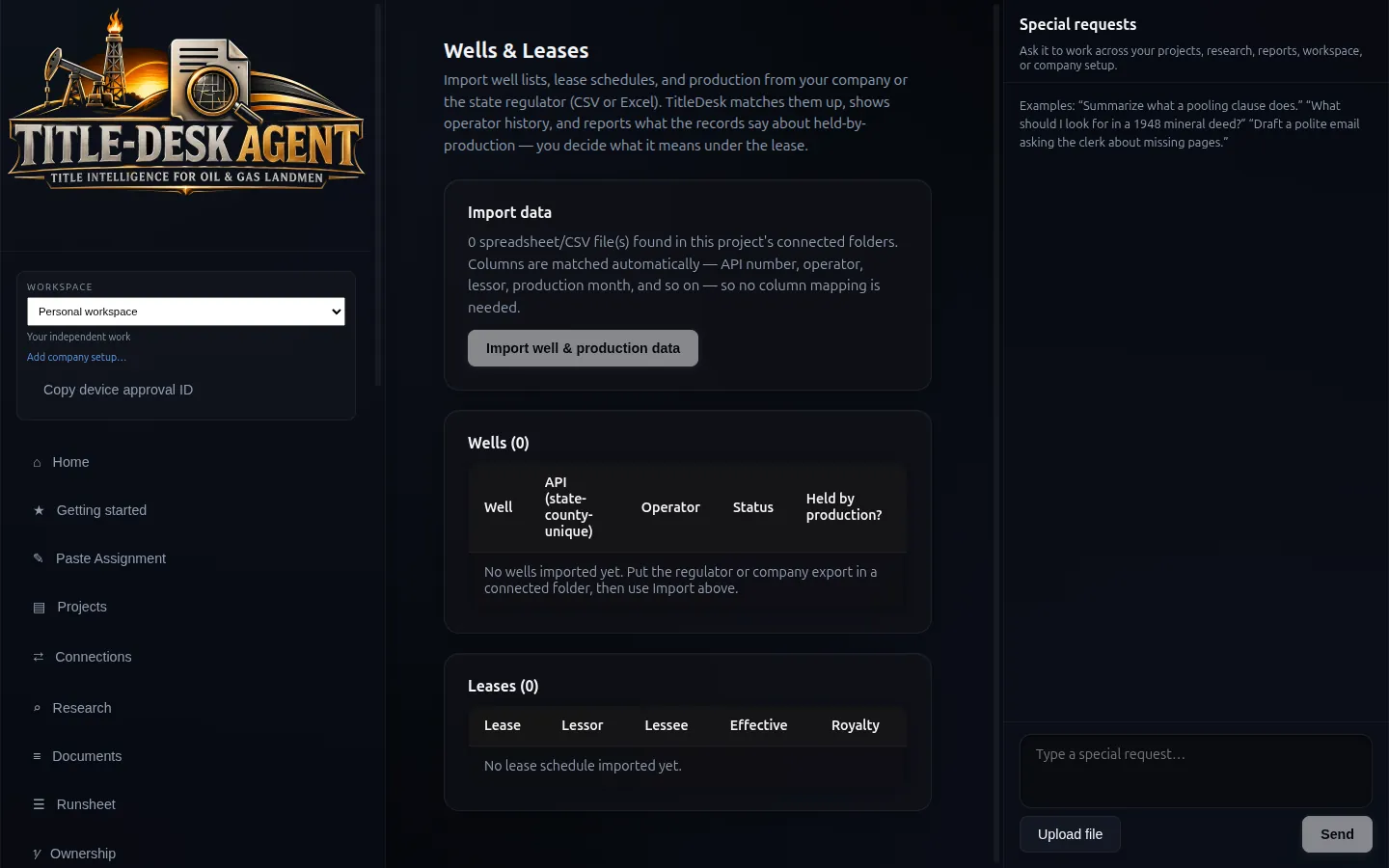
Texas RRC production data imported and matched to wells and leases, with gap detection across production months. Canonical 42-CCC-NNNNN API identity — partial county codes are not wells. RRC workbooks import by sheet without confusing the API number, lease number or district.

Heirship tree

Estates, heirs and determinations mapped, with each determination held for review before it affects ownership.

PHASE 04

Delivering it

4 capabilities

Your workbook, filled in

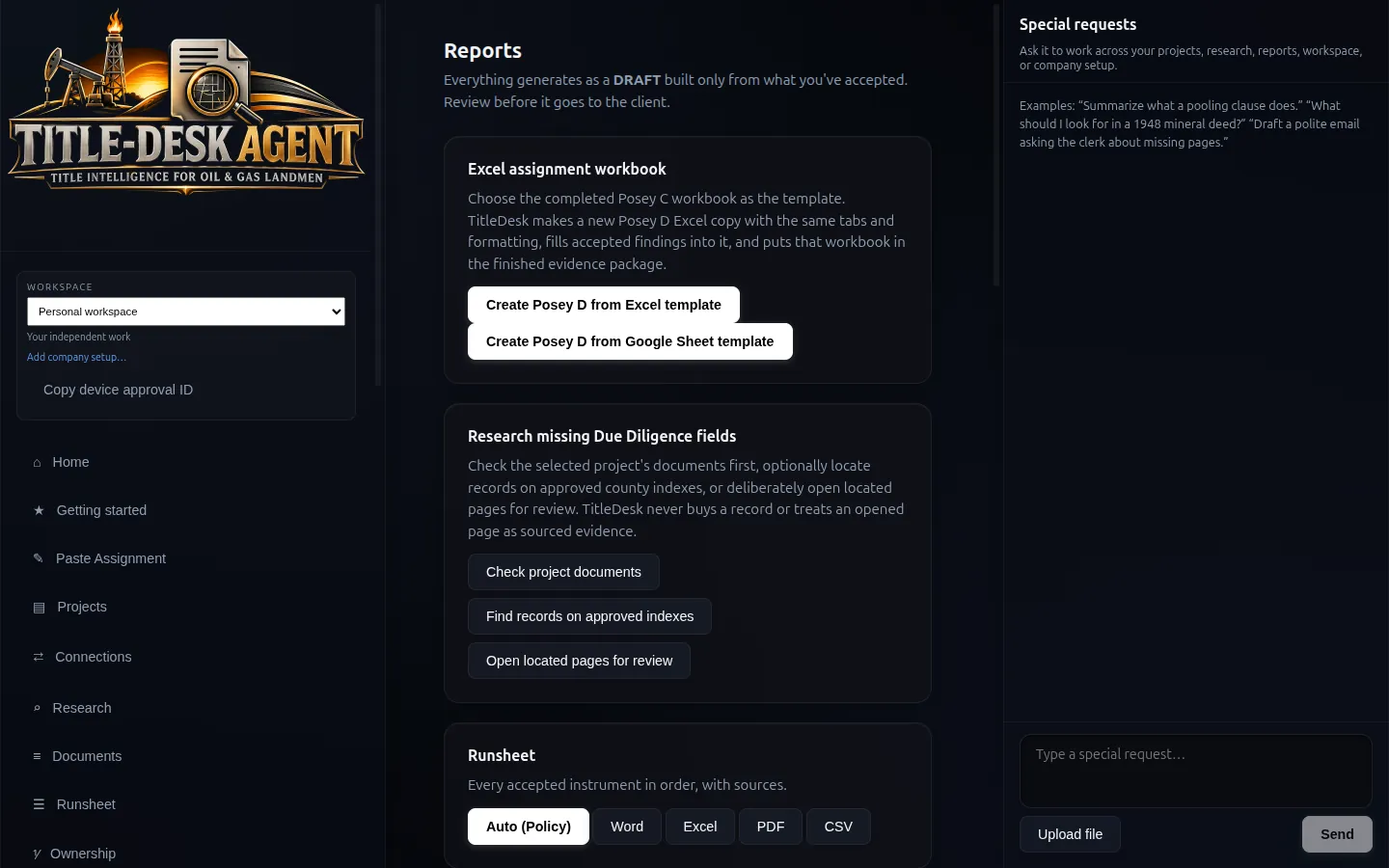
Reports are written into the company's own Excel template — matching your column names to TitleDesk's by meaning, never overwriting a row a person has corrected, and never touching a column it was not asked to map. Ten report types in Word, Excel, PDF or CSV.

Submission package

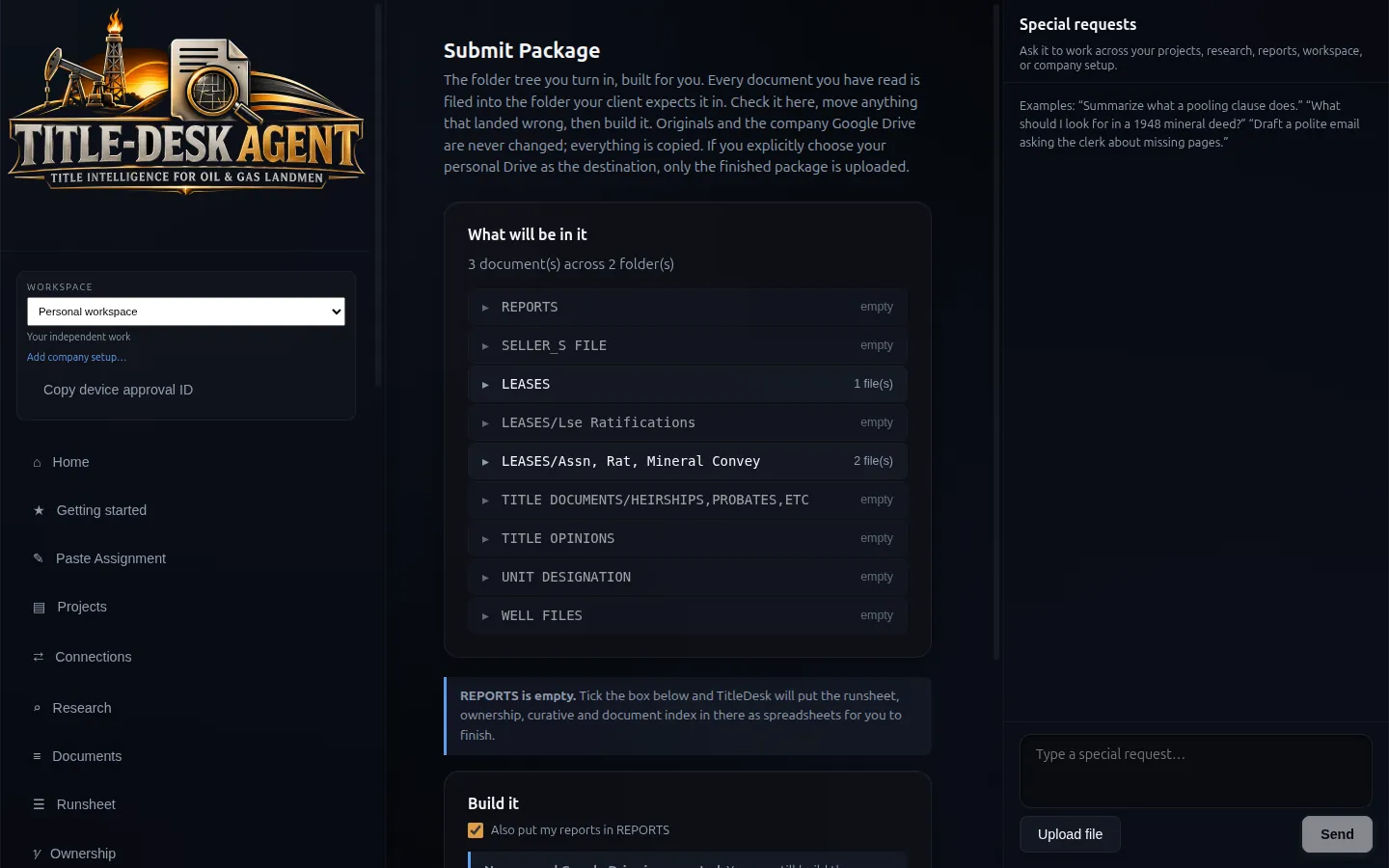
Builds the folder tree you actually turn in, every document filed in the folder your client expects, named to your convention. Originals are copied, never moved. Empty folders stay visible so missing work is obvious — or you suppress them.

Gaps stated out loud

If a report would be delivered with nothing in it, or a document is too thin to put on the runsheet, the build says so rather than shipping something that merely looks finished.

Save straight to Drive

A user can direct a finished package to a separately connected personal Google Drive. Delivery to a personal Drive is hash-pinned: every uploaded file is verified against the package the gate approved.

PHASE 05

Control and safety

8 capabilities

Local by default

Ordinary document processing stays on the machine. Selected content leaves only when you explicitly use a connected AI, personal Drive, approved connector or research source. A company Drive is treated as read-only by application rules and database guardrails.

The model can only add

A deterministic parser always runs first. A model can add to what it found; it can never delete a requirement, overrule a person, or decide what the software is capable of.

Bring your own AI

Runs against whatever model access the landman already has — Claude, Anthropic, OpenAI, Moonshot, a local Ollama model, or a custom endpoint — rather than a company-wide token bill. The expensive part, reading and OCR, costs nothing because it happens locally. Consent-gated; untrusted assignment text never gets tools.

Works with no AI at all

Reading, OCR, classification, runsheet, ownership, deadlines, billing and packages are all local and deterministic. Connecting an AI is optional and only adds drafting assistance. TitleDesk is useful with the AI switched off entirely.

Append-only audit log

Every consequential action is recorded and cannot be edited or deleted, including by the software itself. If a determination was accepted, rejected or changed, that is on the record with who did it.

Research stays inside the fence

A dedicated research browser with its own profile touches only domains you have approved, with spending safeguards built in for paid sources such as CourthouseDirect and TexasFile. Take-over for passwords. The official Texas RRC is always allowed.

Encrypted at rest

AES-256-GCM database. Key held in the macOS Keychain, Windows DPAPI or Linux libsecret — never in a file next to the data.

Workspaces and licensing

One TitleDesk installation switches between companies without a custom build, with an isolated encrypted database per workspace — one company's workspace cannot read another's. Device-based seats, offline lease, Stripe Customer Portal, activation from licenses@theharnesslab.com.

PHASE 06

Also in the workstation

3 capabilities

Time, billing and owners

Day rates, expenses and invoices in exact cents. Owner and offer tracking. Deadlines derived from lease data.

GIS plat

Tract boundaries, well locations, offline SVG rendering and GeoJSON import. Complements — and does not attempt to replace — ArcGIS.

Customization Lab

Folder names, filing rules, report columns and deliverable structure configured to the company's standards, so output is repeatable across every landman and every assignment. Described in full below.

The product inside the product

Customization Lab — TitleDesk becomes your shop.

No two land departments file, search, or deliver the same way. Forking the app per client does not scale. A free-form template language would let a model write code. Customization Lab is the third path: you describe the workflow in English. TitleDesk proposes a validated company profile. Nothing is written until a person approves the plain-language change.

“Ownership report as Word, not Excel. Call Owner ‘Mineral Owner’. Package folder {{project.name}} - Landman Submitted {{date.today}}. Search back to sovereignty. Always pull ratifications. Upload finished work to my personal Drive, never the company Drive.”

Research process

Preferred domains — Courthouse Direct, TexasFile, the RRC, and the hosts you allow. How far back title is run: sovereignty, or a house year count. Adjoining tracts. Gap thresholds. Document types you always pull. Defects worth raising. Require a human on every instrument, or only the thin ones.

Sources & connections

Both company and personal Drive connections use Google's narrow drive.file Picker scope, limited to items the user selects or TitleDesk creates. TitleDesk treats company Drive as read-only in application rules and database guardrails. Personal Drive can receive finished packages when you say so. Connector hosts must be approved before use.

Formatting of finished work

Each report type — runsheet, ownership, curative, document index and more — chooses Excel, Word, PDF or CSV. Columns, labels, order, freeze header, draft watermark, company name, logo, accent colour, footer. Placeholders like {{project.county}} are a closed list; unknown tags are refused at save, not printed on a client PDF.

How it is delivered, and where

The deliverable is the folder tree. You name LEASES, SELLER'S FILE, opinions, well files and ratifications. Filing rules match your prefixes (Lse, TO-, Assn). Empty folders can stay visible so missing work is obvious. Delivery to a personal Drive is hash-pinned: every uploaded file is verified against the package the gate approved.

\1 Any company can be set up this way: by the buyer, in plain English, or by a Harness Lab technician who installs TitleDesk on your machines, configures it to your shop and teaches your landmen to use it during the 15-day build-out. Engineers can export a JSON Schema, a field guide, and an example profile generated from the same rules the app validates.

The application

Product screens on the built-in sample project.

These are screenshots of TitleDesk running its synthetic Reeves County sample project.

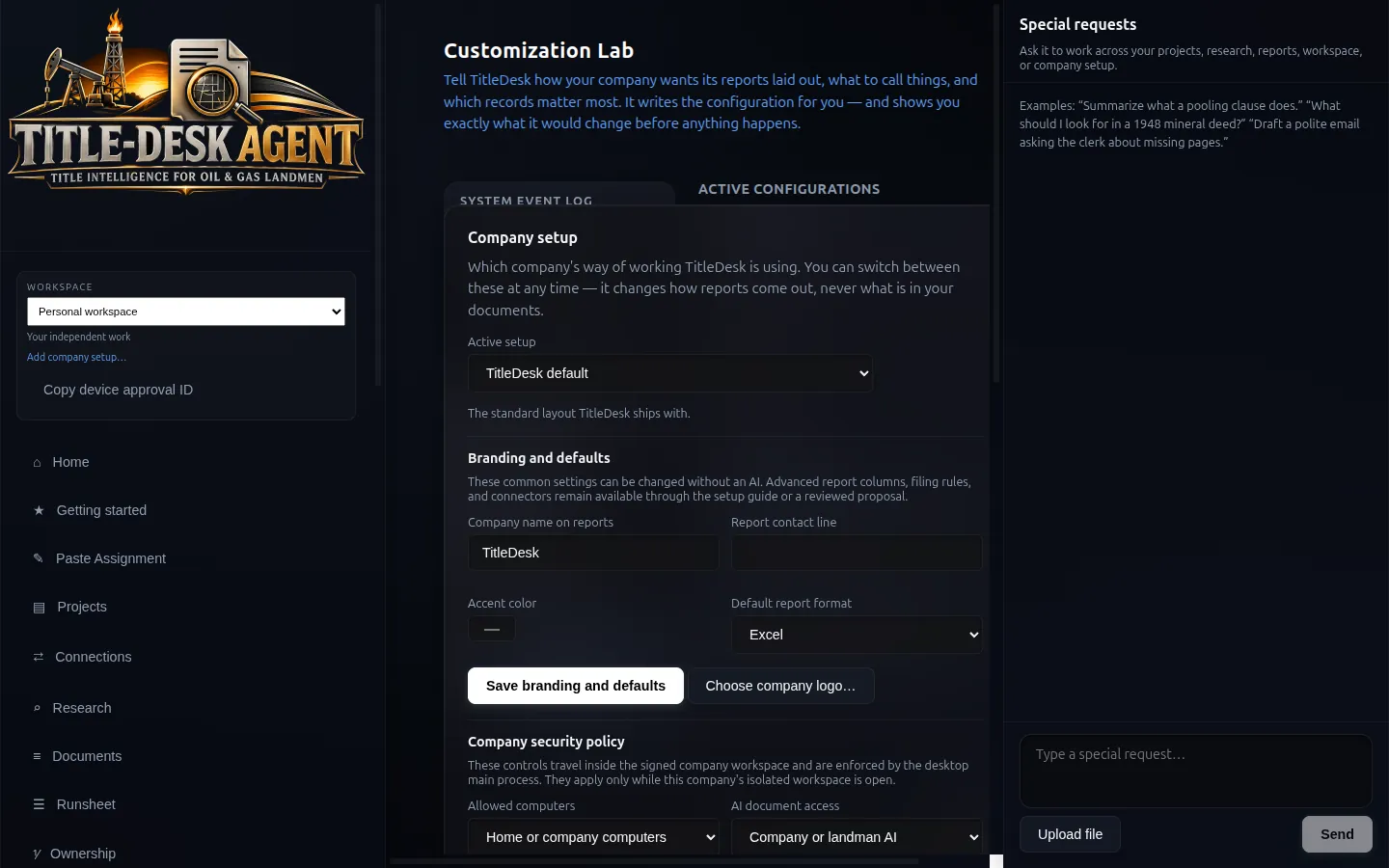
Customization Lab: describing branding, report format and company security policy in plain language
Customization Lab — tell TitleDesk how the shop works. It proposes the config; nothing changes until you approve it.
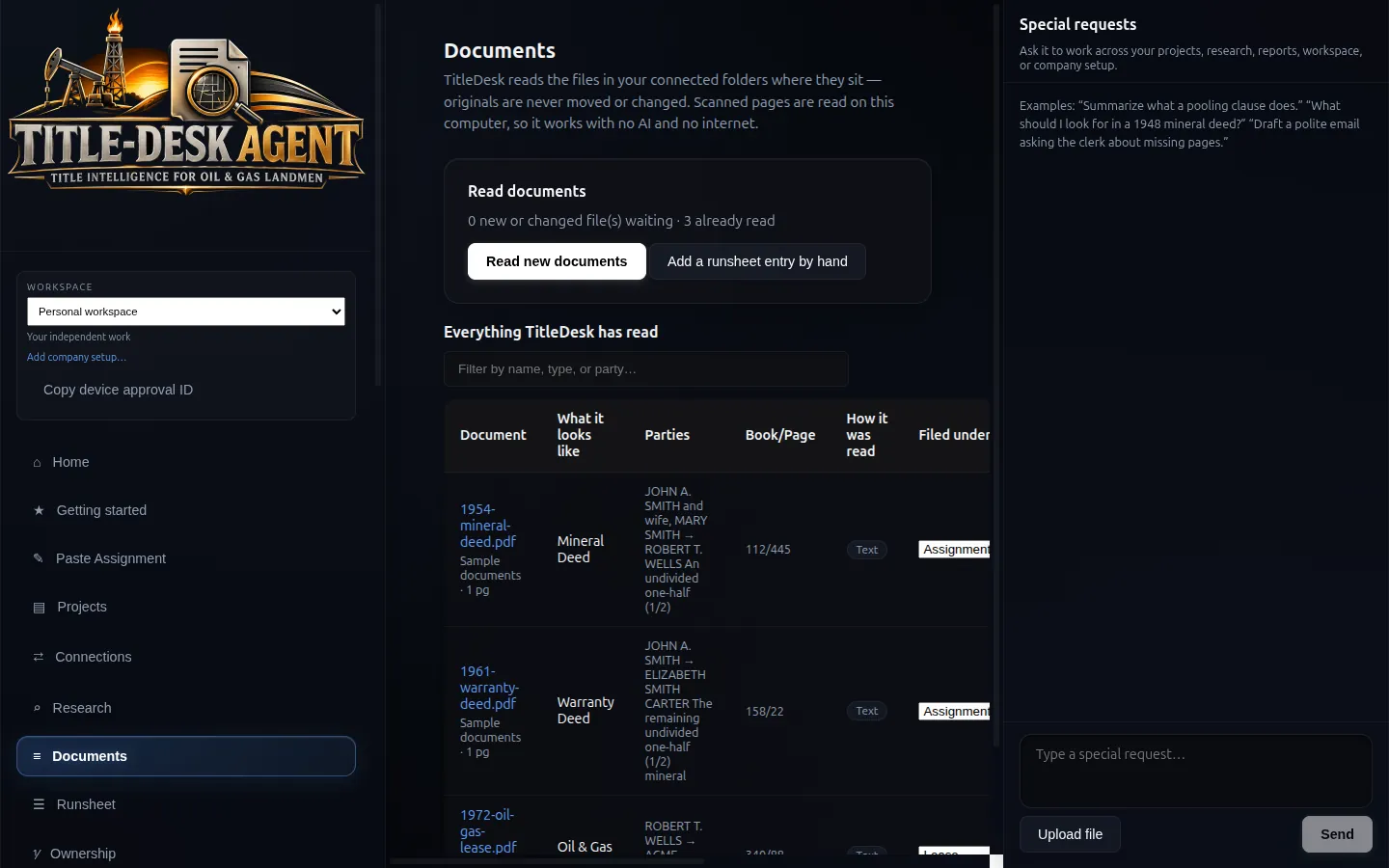
Documents screen showing classified instruments with parties and book and page
Documents — originals stay where they are. TitleDesk reads, classifies and files.
Runsheet with a chain-gap flag on a warranty deed
Runsheet — source-linked instruments. Chain gaps are flagged, not hidden.
Ownership screen with exact-fraction mineral interests totalling one
Ownership — BigInt fractions. 1/2 + 1/2 is 1, not 0.999.
Issues and curative screen with evidence, next step and export
Curative — defects with evidence and a next step. Nothing acts itself.
Submit Package screen for assembling the client folder tree
Package — the folder tree your client actually accepts, named their way.
Reports screen for Word, Excel, PDF and CSV drafts
Reports — drafts from accepted facts only. Review before the client sees them.
Wells and leases screen with import controls
Wells & leases — import Texas RRC workbooks without confusing the API number, lease number or district.
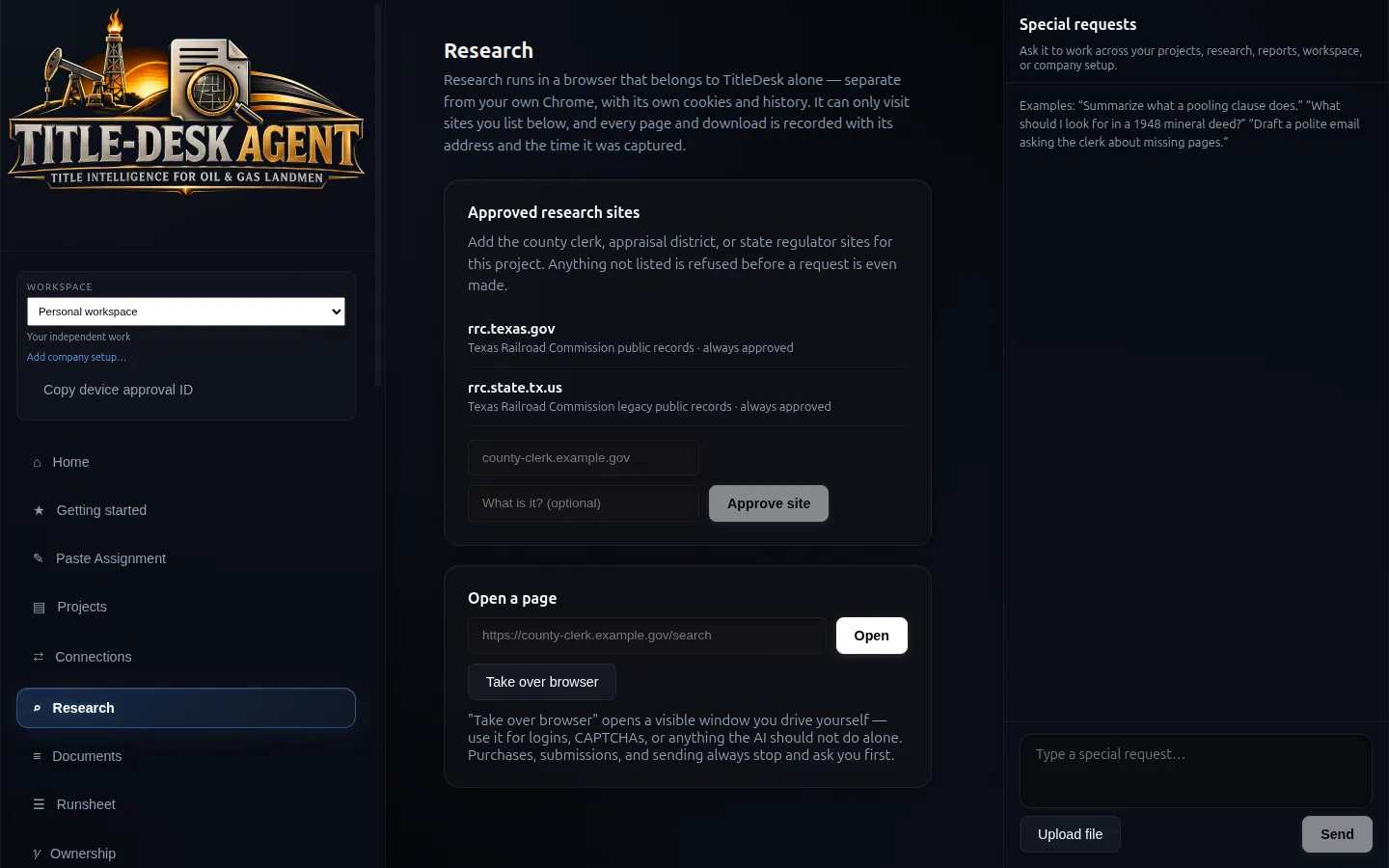
Research browser with Texas RRC always allowed
Research — dedicated browser, allowlisted hosts, take-over for passwords.
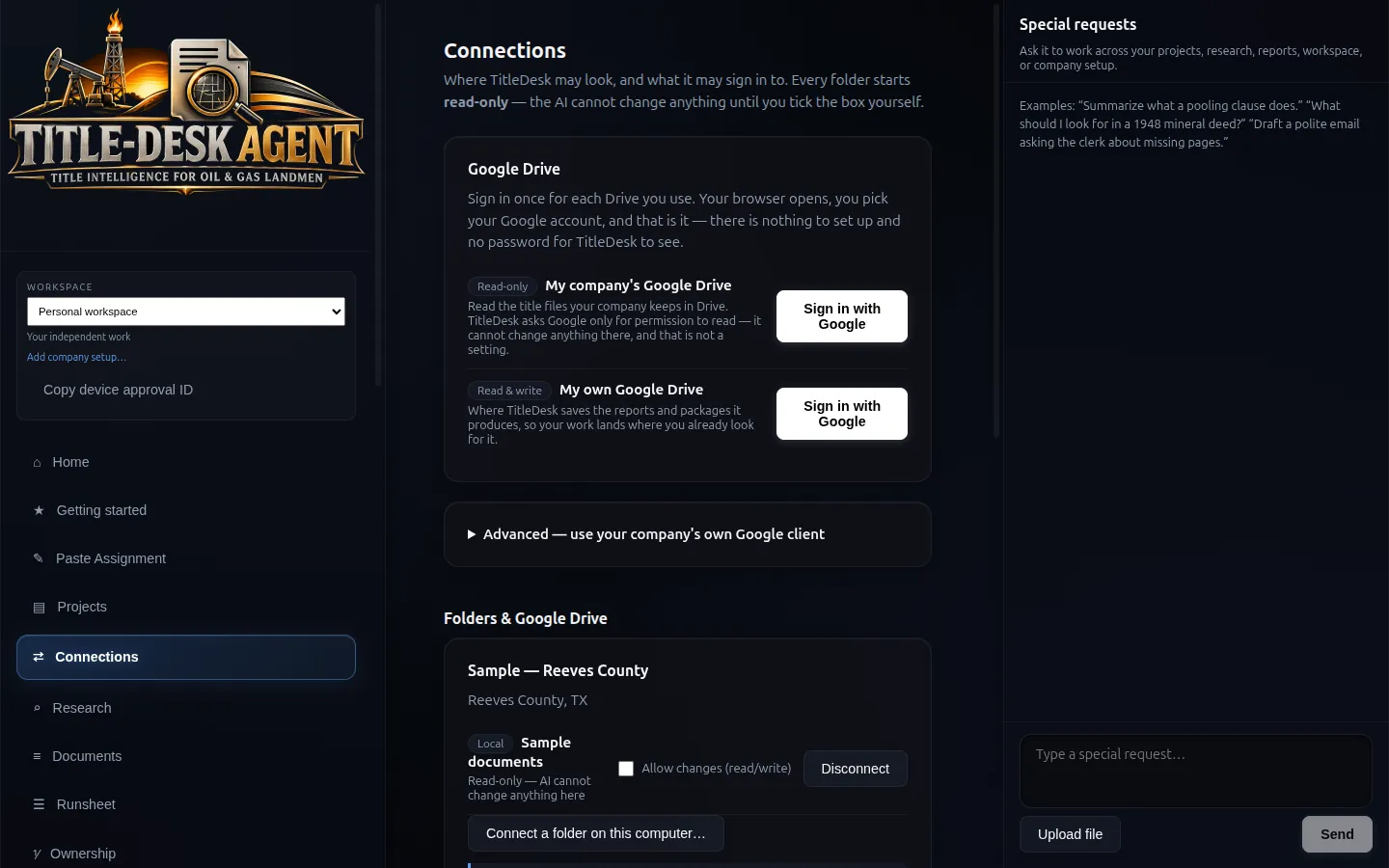
Connections screen for Google Drive and research sources
Connections — company Drive read-only. Personal Drive for finished work.
TitleDesk Home on the built-in Reeves County sample project
Home — what needs you next, on this computer, with or without AI.
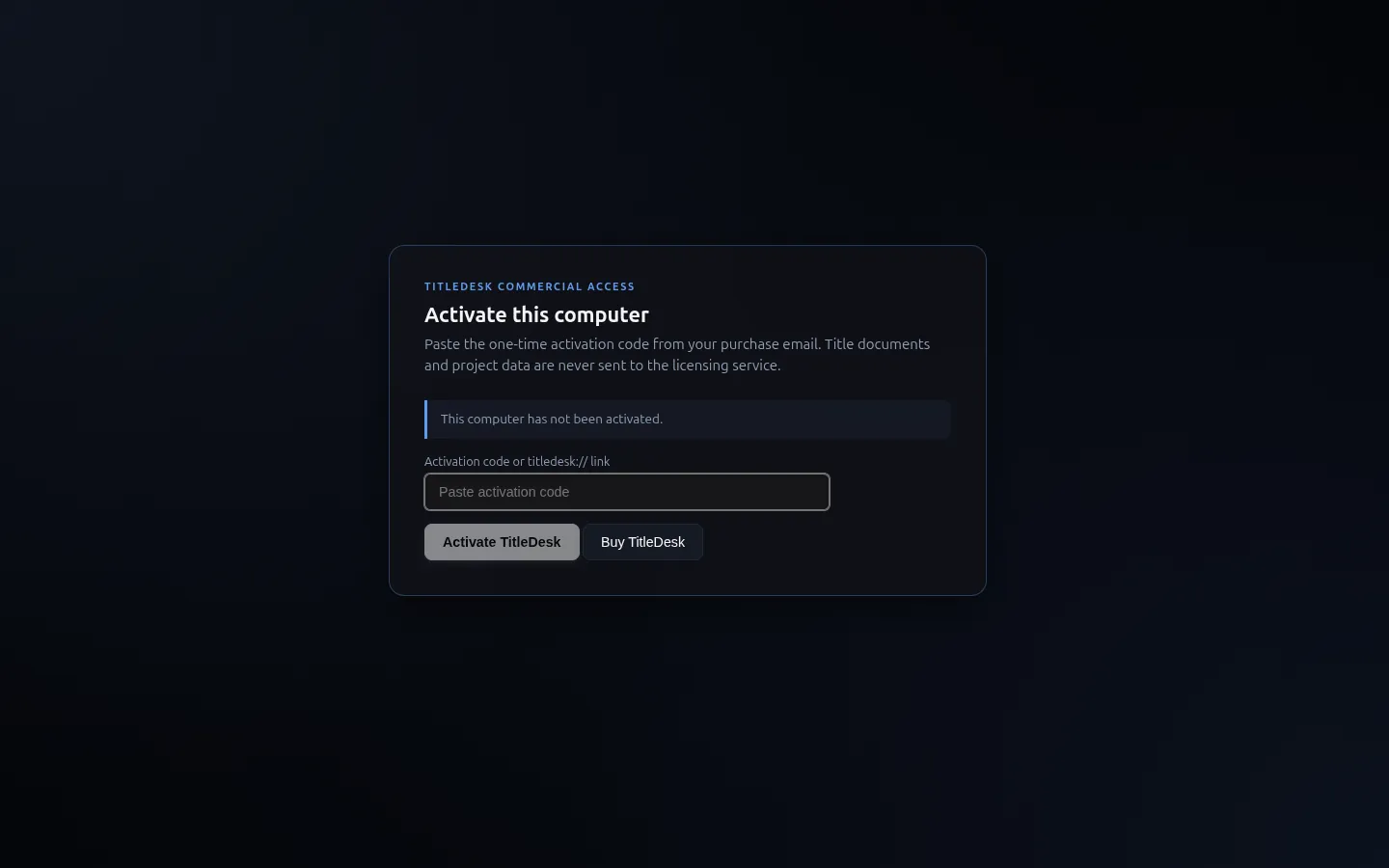
TitleDesk commercial activation screen
Licensing — activate from the purchase email; project data never goes to the licensing service.
Security & privacy

Local by default. Connected services are explicit.

TitleDesk is a desktop application. Ordinary document processing is local; selected content can leave the computer when you deliberately use a connected service.

What leaves your computer, and when
DataLeaves your computer?
Title documents, scans, county recordsNo by default — selected content leaves only when you explicitly use a connected service
OCR text and extractionsNo by default — OCR runs locally (Tesseract)
Ownership calculations, runsheets, reportsNo by default — a report leaves only when you explicitly export or upload it
Project files and foldersNo by default — selected files leave only when you explicitly send or upload them
Licence activation (device fingerprint, licence status)Yes — to the licence server only
Content you explicitly send to a connected AIYes — to the AI provider you chose
Files you sync to a Drive workspace you connectedYes — to your own Google Drive
Data you send through an approved connector or research sourceYes — to the HTTPS host you approved

Company Drive is treated as read-only

Both Drive roles use Google's drive.file Picker scope. Application rules and SQLite guardrails refuse company-Drive writes.

A model proposes. Code computes.

Ownership math is deterministic. Reports refuse unsupported figures instead of looking finished.

The record cannot be rewritten

The Activity log is append-only. TitleDesk cannot edit or delete entries in it — not through the interface, and not through the AI.

Google Drive is optional

Drive sign-in is optional. Company Drive is read-only, used to import assignment files via Google Picker (drive.file). Personal Drive is write access, used to save a finished package the landman asked to upload via Google Picker (drive.file). TitleDesk does not back up the app or database to Drive. See the privacy policy.

An independent contractor can hold several company configurations side by side; they are isolated, and a company workspace can be removed from the computer entirely along with its local data. Reporting a security problem: email sales@theharnesslab.com with "security" in the subject — please do not open a public issue. Full detail in the privacy policy.

Proven on real work

Tested against real assignments from real landmen.

TitleDesk has been run end to end on real Texas title assignments that a working landman had already completed by hand, and the workbook it produced was compared against the landman's approved report cell by cell. Every extracted fact cites the page it came from. A verification gate refuses to deliver a package the run cannot re-derive from its own citations. More than 1,700 automated tests, including replays of those real assignments against captured county index rows and checks that drive the packaged app itself, run before a build is released. A title professional still reviews the source record and every deliverable; that is the design, not a caveat.

Download · v0.2.5 · 2026-09-16

Download TitleDesk Agent v0.2.5.

The current build, carrying every fix from the September production-readiness pass and none of any client's data: the packaging gate scans the shipped bundle for client identifiers and refuses to emit one that fails. Every download starts with a plan — a 7-day Individual trial, Individual or Enterprise seats, or a 14-day Enterprise demo — and comes with the activation code that turns the download into a working copy.

Signed and notarized macOS images (Apple silicon and Intel) and an Authenticode-signed Windows installer, each with a published SHA-256 on the download page. Linux is built on request. Already have an activation code? Unlock the download with it.

Purchase options

The full menu.

One licence per seat — a seat is one licensed computer. Checkout is open: pick a plan, pay on Stripe, and your activation code appears on the receipt page and in your email. Enterprise buyers who want a look first get a 14-day demo and a setup call.

Individual 7-day free trial
$199
per month, after a 7-day free trial
Month to month · cancel anytime
  • One licensed computer
  • Built for the independent landman
  • Every feature — the trial is not a reduced build
  • Card required; a $1 verification, refunded immediately
  • Cancel within 7 days and pay nothing; otherwise $199/month from day 8
Start the 7-day free trial

Skip the trial: buy the seat now

Enterprise
$349
per seat / month · seats × $349
12-month contract · billed annually
  • Type the number of seats; the total is seats × $349 a month, billed for the year
  • Company workspaces and locked profiles
  • Customization Lab configured to your shop
  • Managed configuration distributed to every landman
  • Priority support from The Harness Lab
Buy Enterprise seats

Want a look first? Take the 14-day demo

Enterprise demo
14 days
free, with a setup call
No card · up to 5 computers
  • Spencer calls you to set it up, explain everything and troubleshoot
  • Full Enterprise workflow on up to five computers
  • 14 days from the first activation; expires on its own
  • Your name, company, position, phone, address and seat count are all we ask
Request the 14-day demo
Founder — year one One company, ever
$199
per seat / month, billed annually
40 seats or more · 12-month contract
  • The first company to buy 40 or more seats — once, ever
  • Year one at seats × $199 a month instead of $349
  • $2,388 per seat for the first year
  • Continues on standard Enterprise pricing afterwards
  • Applied automatically at checkout while it lasts
Claim the founder year
Already have a code?
Unlock
the download with your activation code
Purchases, trials, demos and issued licences
  • Paste the tdact_ code from your email on the download page
  • Download links stay valid for 30 days and can be re-issued with the same code
  • Each seat is one computer; the same code activates every seat you bought
  • Lost the email? Write sales@theharnesslab.com from the purchase address
Unlock the download
Legacy
$129
per seat / month
Existing Team subscriptions — honoured
  • Team $129 legacy subscriptions remain honoured
  • Earlier contracts keep their original device allowance
  • Manage billing in the Stripe Customer Portal
  • No forced migration
Ask about your contract
Setup, onboarding & support

The 15-day build-out.

A Harness Lab technician sets TitleDesk up around how your company actually works — and for those fifteen days, anything you need built into your version of TitleDesk gets built, at no additional cost.

$5,00015-day engagement
  • Technician-led setup Installation, licensing and configuration on your machines by a Harness Lab technician.
  • Personal on-call support 9–5, Monday to Friday, for any problem — a person, not a ticket queue.
  • Staff training Your landmen trained on the workflow they will actually run.
  • Bug fixes Anything that breaks during the period is fixed during the period.
  • Full company customization Folder trees, filing rules, report columns, naming conventions, research policy.
  • Company-specific setup Workspaces, locked profiles and managed configuration distributed to every seat.
  • Custom features built free Any special feature you need is built into your version of TitleDesk during the 15 days — no charge.
  • You keep the configuration The profile is yours, and it keeps working after the engagement ends.

The engagement is arranged directly — it is not a self-service checkout. Licences are purchased separately at the seat pricing above.

How checkout works

Choose, pay on Stripe, activate.

Pick a plan on the download page. Stripe takes the payment or the trial card; the receipt page shows your activation code and the download for your platform, and the same code is emailed to you. Paste it into TitleDesk on each licensed computer.

Trials cancel from the receipt page, or at any time from Manage billing. Enterprise demos take no card and come with a setup call. Companies with procurement, escrow or fleet-deployment requirements talk to Spencer first.

Seat math

What you are buying.

WhenPlanPriceTermLicences
1 seat, trying itIndividual trial$0 for 7 days, then $199 / month
$1 card verification, refunded
Month to month · cancel in 7 days to pay nothingExactly 1 activation
1 seatIndividual$199 / seat / monthMonth to monthExactly 1 activation
2 or more seatsEnterpriseseats × $349 / month
$4,188 / seat / year, billed annually
12-month contractExactly the quantity on the Stripe invoice
First contract of 40+ seats, everFounder — year oneseats × $199 / month
$2,388 / seat / year
12-month contractExactly the quantity purchased
Companies, before buyingEnterprise demoFree for 14 days · no card14 days from first activationUp to 5 computers
Any of the above15-day build-out$5,000 one time15 daysSetup, training, support, custom features

After the founder year, that account continues on Enterprise. Team $129 legacy subscriptions remain honoured. Manage or cancel billing at any time from title-desk.com/manage, with your activation code or purchase email. The founder rate is applied automatically at checkout to the first qualifying order of 40 or more seats and disappears once claimed.

Explore

Landman software, explained page by page.

Questions land departments actually ask

Before you commit.

How can a title assignment take twenty minutes when it takes a landman days?

The days go to mechanical work: pulling the county index, reading instruments, transcribing runsheet rows, working conveyances through the ledger, fraction arithmetic, balance checks, writing up defects and assembling the folder tree. TitleDesk does that part in about twenty minutes on real assignments. The landman's judgment, reviewing the chain against the cited pages and certifying, is the part that stays, and is budgeted at two to three hours. The arithmetic is on the ROI page.

Has TitleDesk been used on real assignments?

Yes. It has been run end to end on real Texas title assignments that a working landman had already completed by hand, and the workbook it produced was compared cell by cell against the landman's approved report. Those assignments are replayed in the automated test suite before every release.

Do my title documents go to the cloud?

Not during ordinary local work. OCR, extraction, ownership arithmetic and report generation run on your computer. Selected content leaves only when you explicitly use a connected AI, personal Drive, approved connector or research source. See the table above for the full breakdown.

Does it need an internet connection?

Only to activate, and periodically to confirm the licence is still valid. Once activated, TitleDesk keeps working offline for an extended period — a day in a courthouse basement with no signal will not stop you.

Do I have to use AI?

No. TitleDesk is fully functional with no AI account connected. Reading documents, the runsheet, ownership arithmetic, deadlines, billing and report generation are all local. This matters for a land department that cannot send client documents to a third-party model.

Why does the ownership math matter so much?

Because decimals lie. 1/3 as a decimal is 0.333…, and three of them do not add to 1. Run that through a chain of title and the error compounds into real money. TitleDesk uses exact fractions, so 1/3 + 1/3 + 1/3 is exactly 1, and an over-conveyance is reported as an exact excess such as "over by 1/4".

Can I trust what the AI extracted?

You are not asked to. Every extracted date, party and fraction stays proposed until you accept it, and every material number carries a link back to the page it came from. The AI proposes; the landman decides.

I work for several companies. Will their data get mixed?

No. Each company configuration is an isolated workspace with its own encrypted database. One company's workspace cannot read another's, and you switch between them explicitly. A company workspace can also be removed from your computer entirely, along with its data.

Can a company set TitleDesk up once and hand it to its landmen?

Yes — that is exactly what the 15-day build-out and Customization Lab are for. A company configures policy, security posture and research procedure, then distributes that configuration. The landman does not reassemble it.

Can I install it on more than one computer?

Seats are counted per device: one seat is one licensed computer. Some earlier contracts retain their original device allowance. Tell us if you need to move an activation to a different machine.

What happens when my licence expires?

TitleDesk switches to restricted operation. Existing work remains readable and exportable, and project files stay on disk; creating or changing work requires an active licence.

My activation link expired, or never arrived.

Paid-purchase activation links are single-use and last ten minutes. Evaluation invitations remain redeemable until the deadline stated in the invitation. Email comes from licenses@theharnesslab.com — check spam first, then email sales@theharnesslab.com from the address you purchased or requested with.

Is the source code available? We have procurement requirements.

TitleDesk is commercial software; the public repository carries releases and documentation only. Companies with requirements around source escrow or independent security review should contact spencer@theharnesslab.com directly — those arrangements are made, not refused.

Why does macOS warn when I first open TitleDesk?

From v0.2.2 it should not. The macOS images are signed with an Apple Developer ID and notarized by Apple, and the notarization ticket is stapled to the disk image, so the app opens normally the first time and does so even if the Mac is offline. The Windows installer is Authenticode-signed. If you still see a warning you are on an older build — take v0.2.5. Every download has a published SHA-256 checksum on the download page.

People, not a ticket queue

Talk to Spencer at The Harness Lab.

TitleDesk is built by the person who answers the phone. Pilots, 40-seat contracts, procurement questions and the 15-day build-out all go through the same line.

Spencer Teague

The Harness Lab · Founder

spencer@theharnesslab.com 325-763-8701

Sales, pilots and contracts: sales@theharnesslab.com.
Activation and install: the same inbox, or reply to the licence email from licenses@theharnesslab.com.
On-call support during a 15-day engagement: 9–5, Monday to Friday.